Upload your PDF menu
Use the file you already share with guests, delivery platforms, or printers. Menavise can also accept a menu image or public URL if the PDF is not handy.
Redesign a PDF restaurant menu online
To redesign a PDF restaurant menu online, upload the existing PDF you already send to guests, delivery apps, or printers. Menavise reads it and creates a free first-page AI redesign preview without making you rebuild the menu manually.
This page is for owners with a menu exported from Word, Canva, a POS system, or an old designer file. The free redesign flow keeps your real dishes and prices, then shows a cleaner concept with improved hierarchy and a more polished restaurant look.
How it works
The goal is simple: keep your real content, fix the presentation, and give you a design direction you can use quickly.
Use the file you already share with guests, delivery platforms, or printers. Menavise can also accept a menu image or public URL if the PDF is not handy.
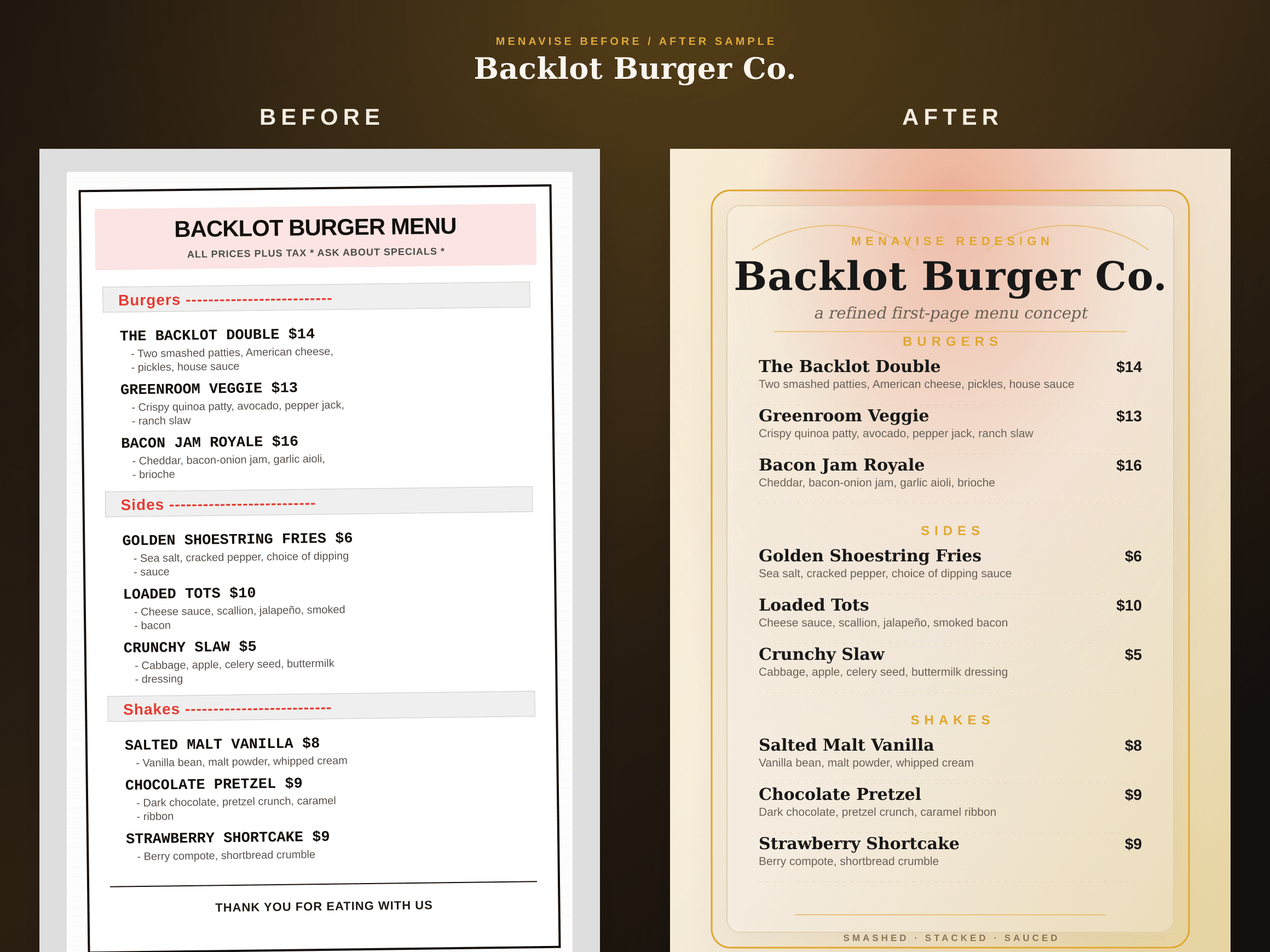
The redesign identifies sections, dishes, prices, and descriptions, then rebuilds the first page with clearer spacing, headings, and visual weight.
Review the free preview next to your current PDF. If the direction is useful, unlock the full-resolution redesign for printing, sharing, or handing to a designer.
Before and after
PDF menus often become crowded over time as items, notes, and prices are added. A redesign creates order again, so guests can understand categories and specials faster.


What improves
Rebalance font sizes and spacing so key items are readable on phones and printed pages.
Make categories, dish names, descriptions, and prices feel organized instead of visually equal.
Replace years of small edits with a cleaner layout that feels intentionally designed.
Show guests the structure of the menu quickly so they can compare options with less friction.
FAQ
Yes. Menavise is built for existing menu files. Upload your PDF and it creates a first-page redesign preview from the content in that file.
No. A normal exported PDF can work. The clearest PDFs produce the best results, but you do not need the original design file to start a preview.
Yes. If the menu is a JPG or PNG, you can upload that instead. You can also paste a public menu URL if your menu is already online.
The first-page redesign preview is free. If you want the high-resolution first-page PNG, you can unlock it after reviewing the preview.
Ready to see yours?
Upload the PDF you already have and get a free first-page menu redesign preview in seconds.